eSIM for Thailand (Instant QR Code sending)
- To activate outgoing call services, identity verification is required at any dtac shop with an additional surcharge
- Incoming calls and SMS will remain active
- Customer service: 1678 (dtac) and Emergency numbers: 191, 1669, 112 are active
- Enjoy faster surfing up to 50GB of data for 10 days
- Immediately receive a QR code activation along with your Klook voucher via your email
A QR code activation is sent to you immediately after booking
Product details
Validity 7 days
Internet speed 3G/4G/5G
Service type Data only
Coverage area Whole of Thailand
Data limit 30 GB
Hotspot Sharing Yes
Local telecom operator dtac
Provided by dtac
About this product
Booking guidelines
- Before booking, please ensure your mobile device is compatible with the local network service provider. No refunds or cancellations can be made due to SIM compatibility issues
- iPhone purchased in some specific regions (e.g., Hong Kong) are not compatible with eSIM. Please contact your phone’s customer service to check eSIM compatibility
- Samsung phones purchased in some specific regions (e.g., Taiwan and US) are not compatible with eSIM. Please contact your phone’s customer service to check eSIM compatibility
- Click here to see all compatible devices, including mobile, tablet, and e-watch models
- Please ensure that your device is eSIM-compatible and unlocked from network provider before purchase. Refund is not applicable
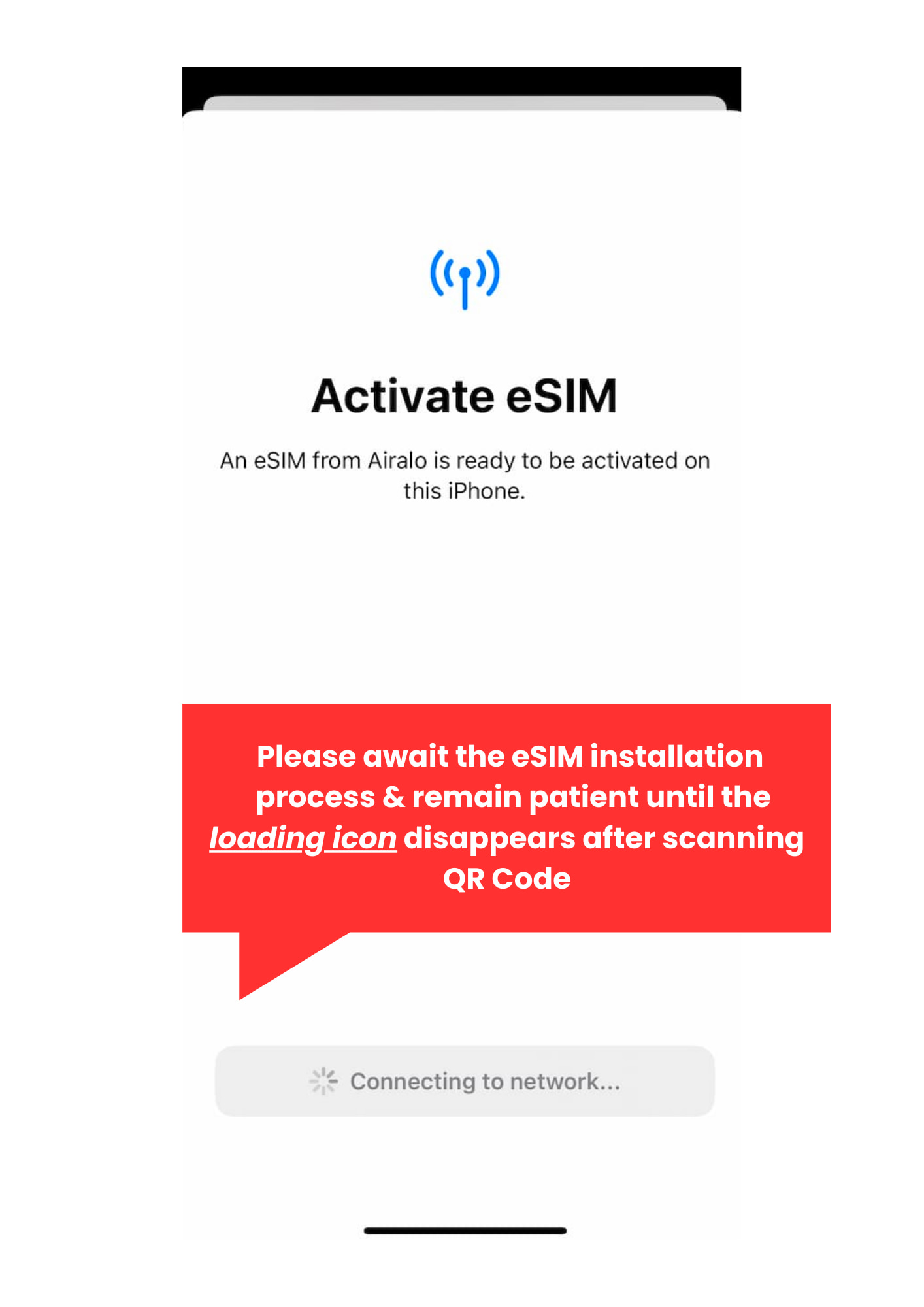
- Please note: The QR code activation can only be scanned once. Upon scanning the QR code to add the eSIM, kindly await the eSIM installation process and remain patient until the loading icon disappears
- Hotspot Sharing Notice: Please be reminded that hotspot sharing is unavailable in airport areas due to signal interference. You can resume hotspot sharing once you’re outside of the airport vicinity.
Usage reminder
- Do not delete the eSIM on cellular setting, the QR code can only be scanned and activated only once
- Once the activation process is complete, eSIM can not be transferred to another device
- eSIM validity will count as 24 hour daily basis e.g. if you successfully activate eSIM 1 January at 20.00, the eSIM usage will expire on 10 January at 20.00.
- Emergency dial: Dial 1678 press 9 for English (3 baht per call 7% VAT included)
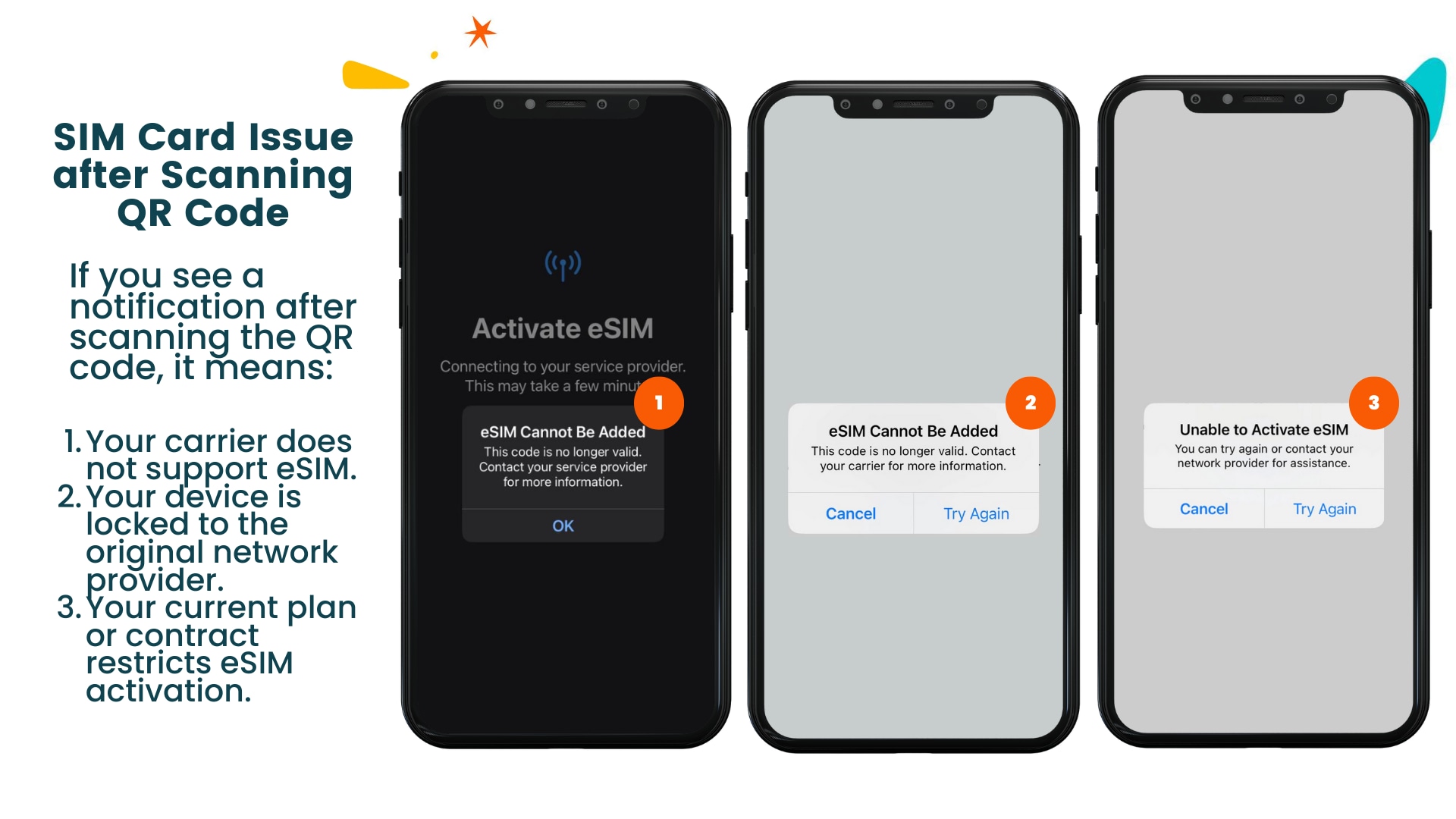
- Here are examples of pop-up messages you might see when eSIM activation fails due to specific issues:
- E.g. eSIM Activation Failed: Your device is locked to your original network provider. Please contact your carrier to unlock your device before activating an eSIM
- E.g. eSIM Activation Not Supported: Your current mobile plan or contract does not allow eSIM activation. Please check with your carrier for eligibility and plan upgrade options.
Confirmation
- You'll get confirmation within minutes. If you don't see any confirmation, reach out to our customer support.
Activation procedure
- Important Update: Outgoing Call & SIM Card Function Changes (Effective 6 June 2025)
- Outgoing calls (local & international), SMS, and VoWiFi will be disabled
- To reactivate outgoing services, identity verification is required at any dtac shop
- Incoming calls and SMS will remain active
- Customer service: 1678 (dtac) and Emergency numbers: 191, 1669, 112 are active
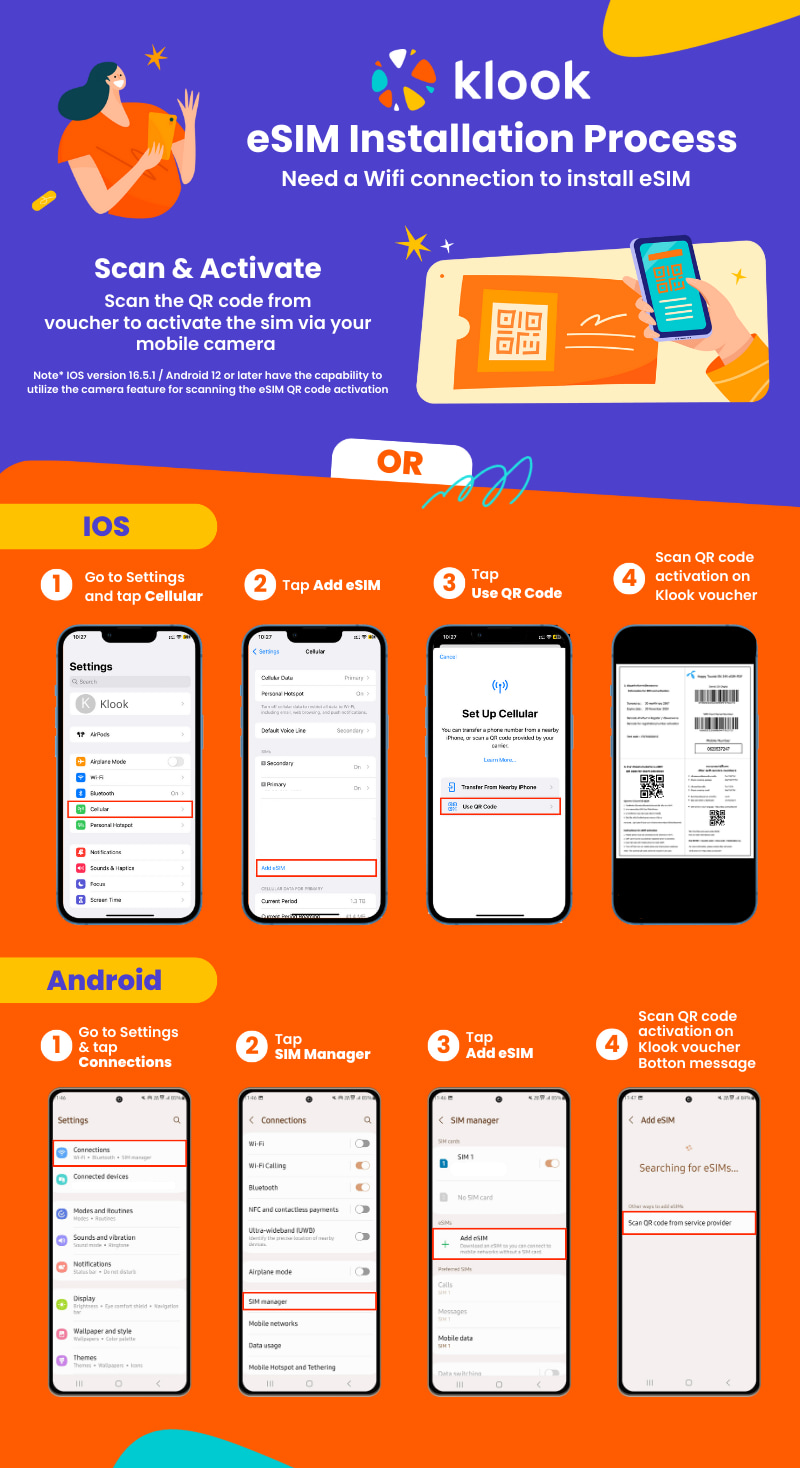
- After booking confirmation, the eSIM QR code activation will be sent to your Klook log-in email, or you can open the voucher via Klook app
- 2 Easy Ways to Activate eSIM
- 1) Scan via Camera Feature
- IOS version 16.5.1 and Android 12 or later have the capability to utilize the camera feature for scanning the eSIM QR code activation
- 2) Activate by Device Settings
- Step 1: Go to Settings and tap Cellular/Connections
- Step 2: Tap Add eSIM
- Step 3: Scan QR code activation on Klook voucher
- How to install eSIM here
- How to top-up additional package
- Online top-up additional package click here
- Or, Contact dtac call center dial1678 press 9 for English (3 bahtper call 7% VAT included)
- How to top-up balance
- Offline top-up at all dtac Shops Nationwide, Convenience Stores (7-11, Lotus, BigC, FamilyMart). Find dtac shops near your location here
Cancellation policy
- No cancellations, or refunds can be made
Amendment policy
- No cancellation or refunds can be made.
Contact us
Reviews

My husband and I used it, and it was easy to set up, with clear and easy-to-follow instructions. We also had fast internet everywhere we went in Bangkok. We didn't have any signal problems.
This esim is really helpful while touring around Bangkok and Pattaya. Great purchase for my 5 days trip.
I used an eSIM during my trip to Thailand and it worked perfectly. Setup was fast, the connection was strong, and I had reliable data throughout Bangkok and other cities. No need to swap SIM cards — super convenient for travelers. Highly recommend!
My husband and I used it, and it was easy to set up, with clear and easy-to-follow instructions. We also had fast internet everywhere we went in Bangkok. We didn't have any signal problems.
very convinient to use. hassle free, all the instructions that you need are provided in an instant and it is very easy to understand. didn’t have any problems using this. I got the coverage that I need and did non experience any downtime.
I was initially worried about network issues, but I was surprised that it worked immediately after purchase. The 5G speed is very fast, comparable to 5G in China. Very good and the price isn't expensive. The key is that the eSIM is convenient, no need to remove and install physical SIM cards.
very convenient. the moment we landed I already have internet. so better choose esim for you data access.
no issues. we code arrived immediately and worked perfectly. set up was easy and everything works! internet works well
the sim card worked very well and it is very convenient to set up and can be conveniently be used anywhere in thailand
its a must when travelling abroad. we never experience a lag or disrupt in internet connection.