I can't connect to the internet with the eSIM for Japan I bought on Klook. What should I do?
Android:
- Go to Settings > Connections or Network & Internet.
- Find the APN settings based on your device:
▶ Samsung/Xiaomi/Huawei/Honor and most Android devices: Tap Mobile networks > Tap your active eSIM card to enter the settings page > Access Point Names.
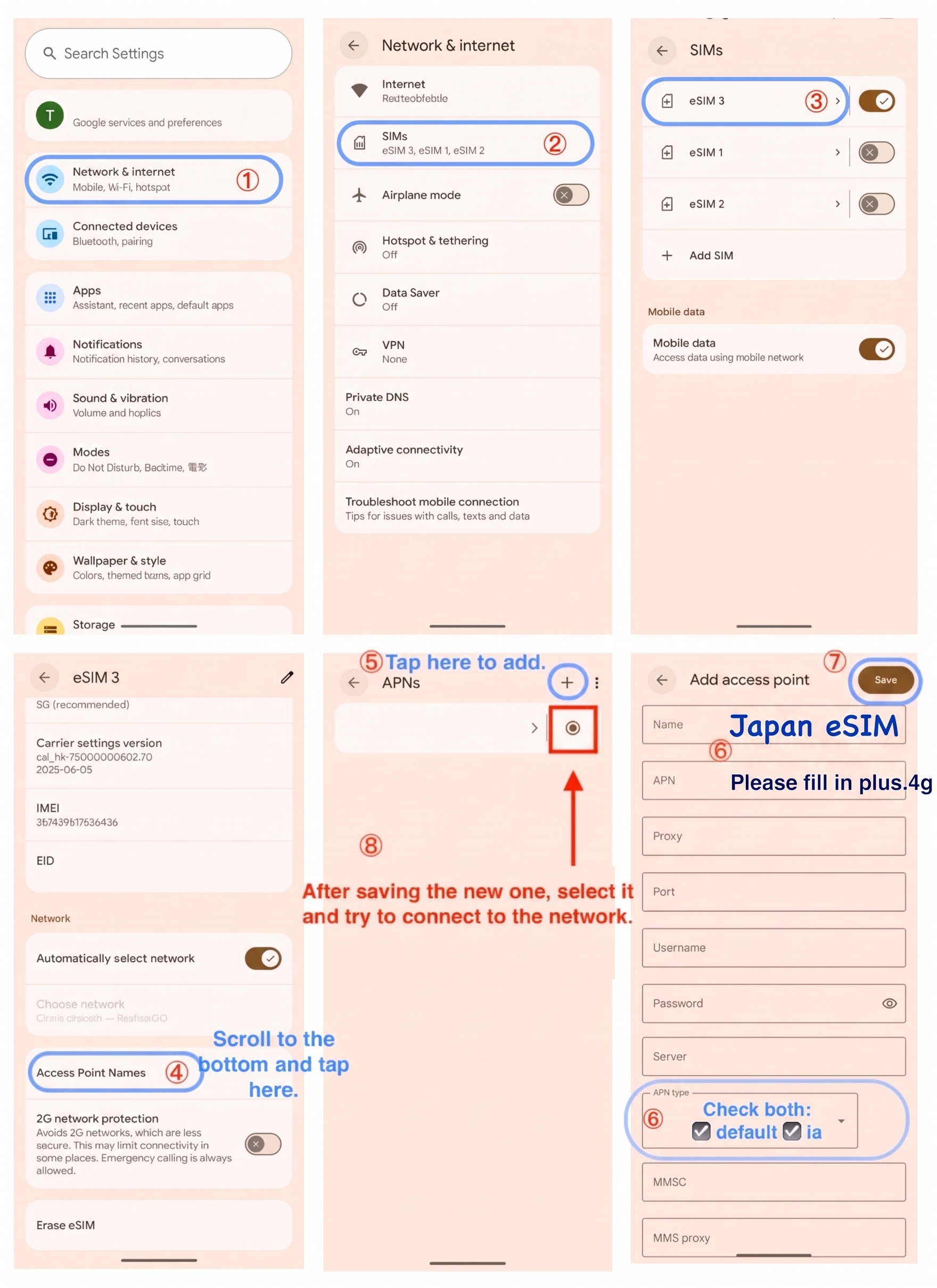
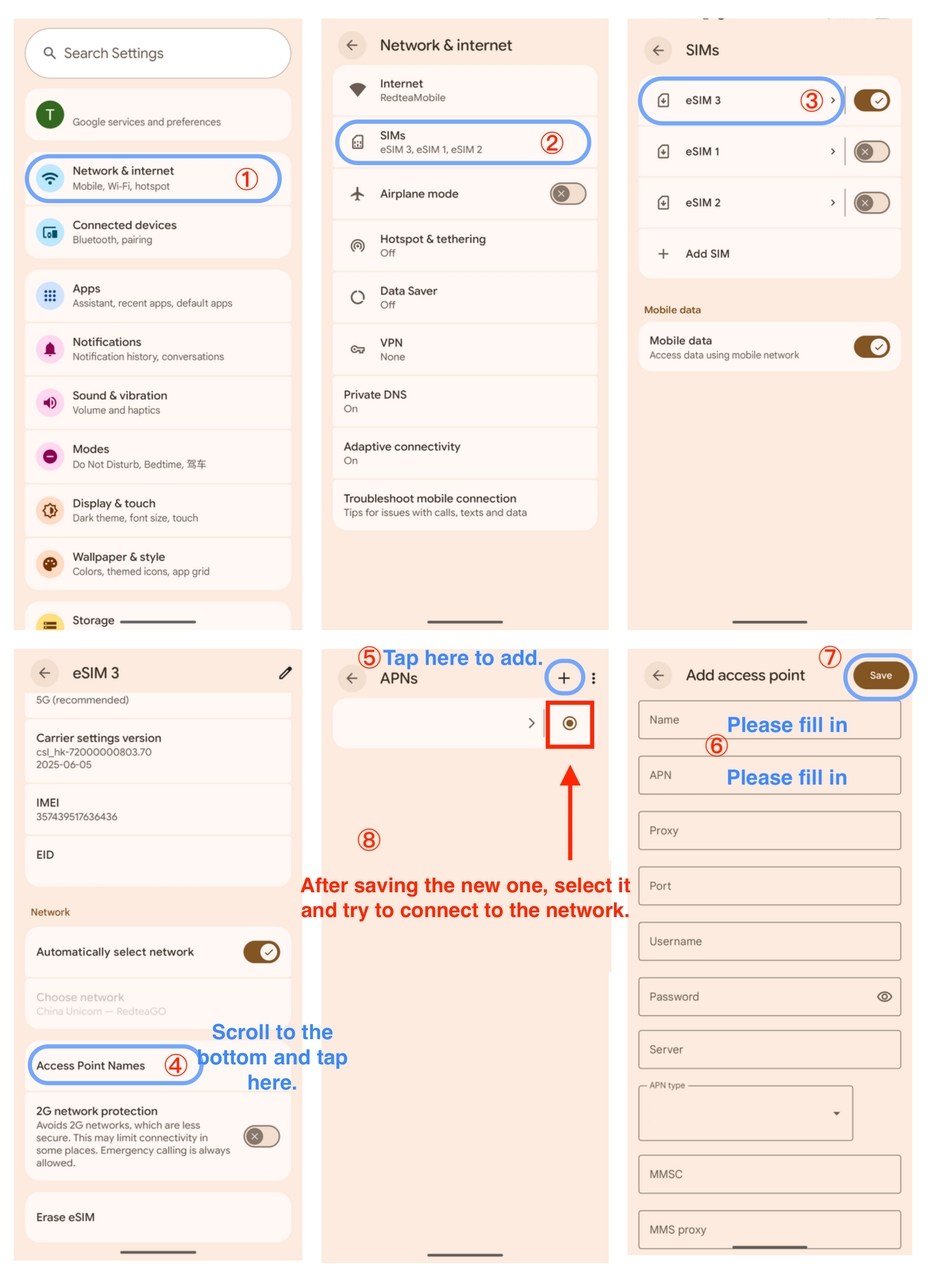
▶ Google Pixel/Motorola: Tap SIMs > Tap your eSIM to enter the setting page > Access Point Names.
You can tap the + icon or Add to create a new APN. Enter the following information based on your data plan:
- "Data per day" plan (Softbank 4G LTE/5G):
Name: Japan eSIM
APN: plus.4g
APN Type: default,ia
Save the tab. Ensure that the APN you created is selected on the screen.
Turn on Airplane Mode for 10 seconds and then turn it off. Alternatively, restart your phone.
Refer to the example for Google Pixel:
- "Data in total" plan (IIJ/Docomo 4G LTE):
Name: Japan eSIM
APN: vmobile.jp
Save the tab. Ensure that the APN you created is selected on the screen.
Turn on Airplane Mode for 10 seconds and then turn it off. Alternatively, restart your phone.
Refer to the example for Google Pixel:
iOS:
(Note: iOS devices usually configure the APN automatically. However, you need to check these settings if you can’t connect to the internet.)
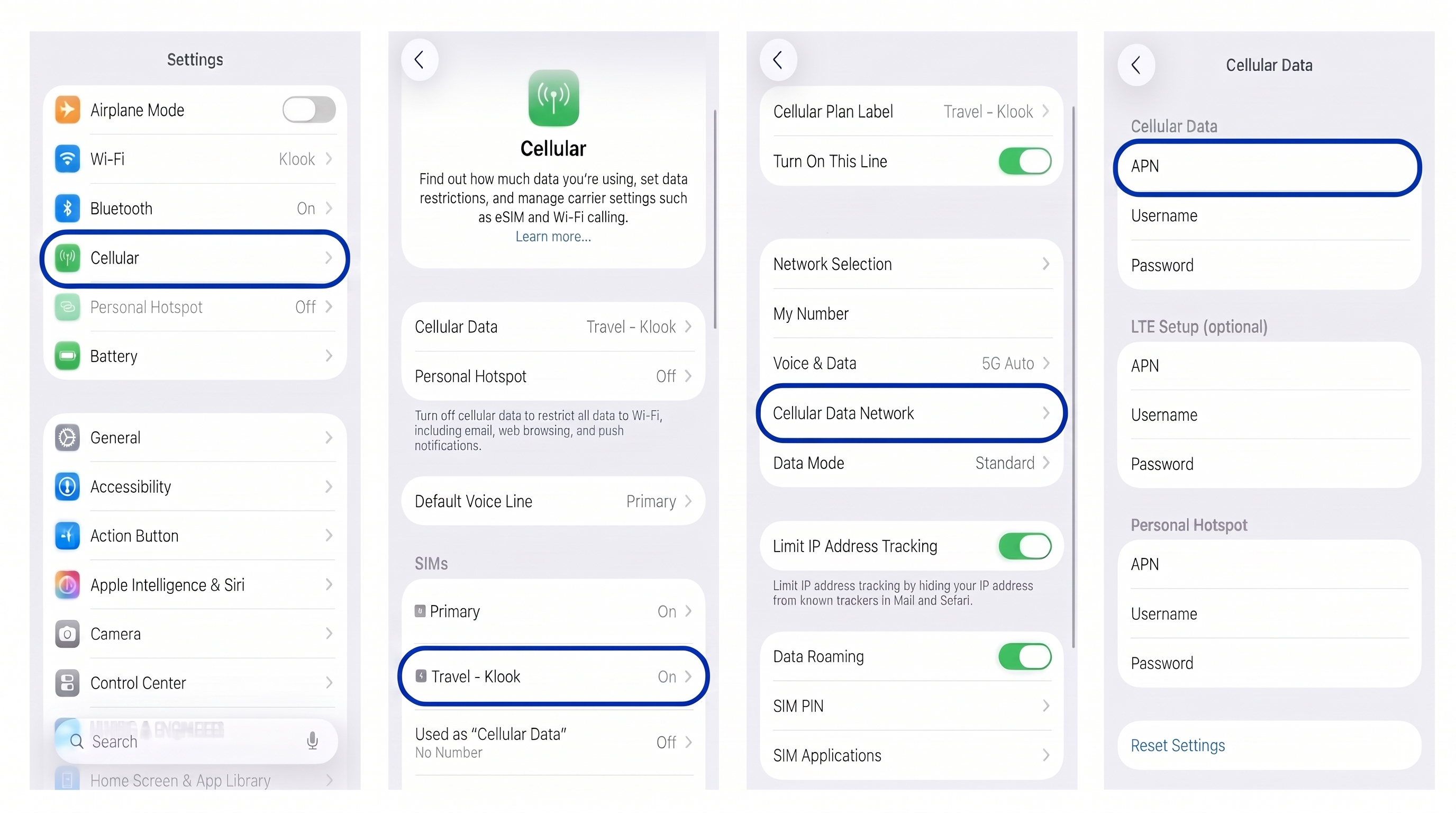
- Go to Settings > Cellular (or Mobile Service or Mobile).
- Select your Klook eSIM from the list.
- Tap Cellular Data Network (or Mobile Data Network).
- Check the APN field under the Cellular Data (or Mobile Data) section. If it is empty or incorrect, enter the APN details shown on your Klook booking details.
- (Optional) To share data via Hotspot, scroll down and enter the exact same APN into the APN fields under the LTE Setup and Personal Hotspot sections.
- Turn on Airplane Mode for 10 seconds and then turn it off. Alternatively, restart your phone.
Refer to the US English example:
If you still have connection problem, check for old profiles:
- Go to Settings > General > VPN & Device Management. If you see profiles from old carriers or other eSIMs, delete them and restart your phone.
Note: Only remove profiles associated with unused carrier/eSIMs. If you are unsure what a profile is for (e.g., company VPNs), contact customer support before deleting it.
Was this information helpful?
Other FAQs in "eSIM"
- What devices support eSIM?
- [In-app activation] How can I activate the eSIM on iOS devices?
- [QR code activation] How can I activate the eSIM or share the eSIM with a QR code?
- [In-app activation] How can I activate the eSIM on Android devices?
- Can I scan one QR code with multiple devices?
- Should I turn on data roaming when I'm using the eSIM?
- An error occurred while I was installing the eSIM. What should I do?