

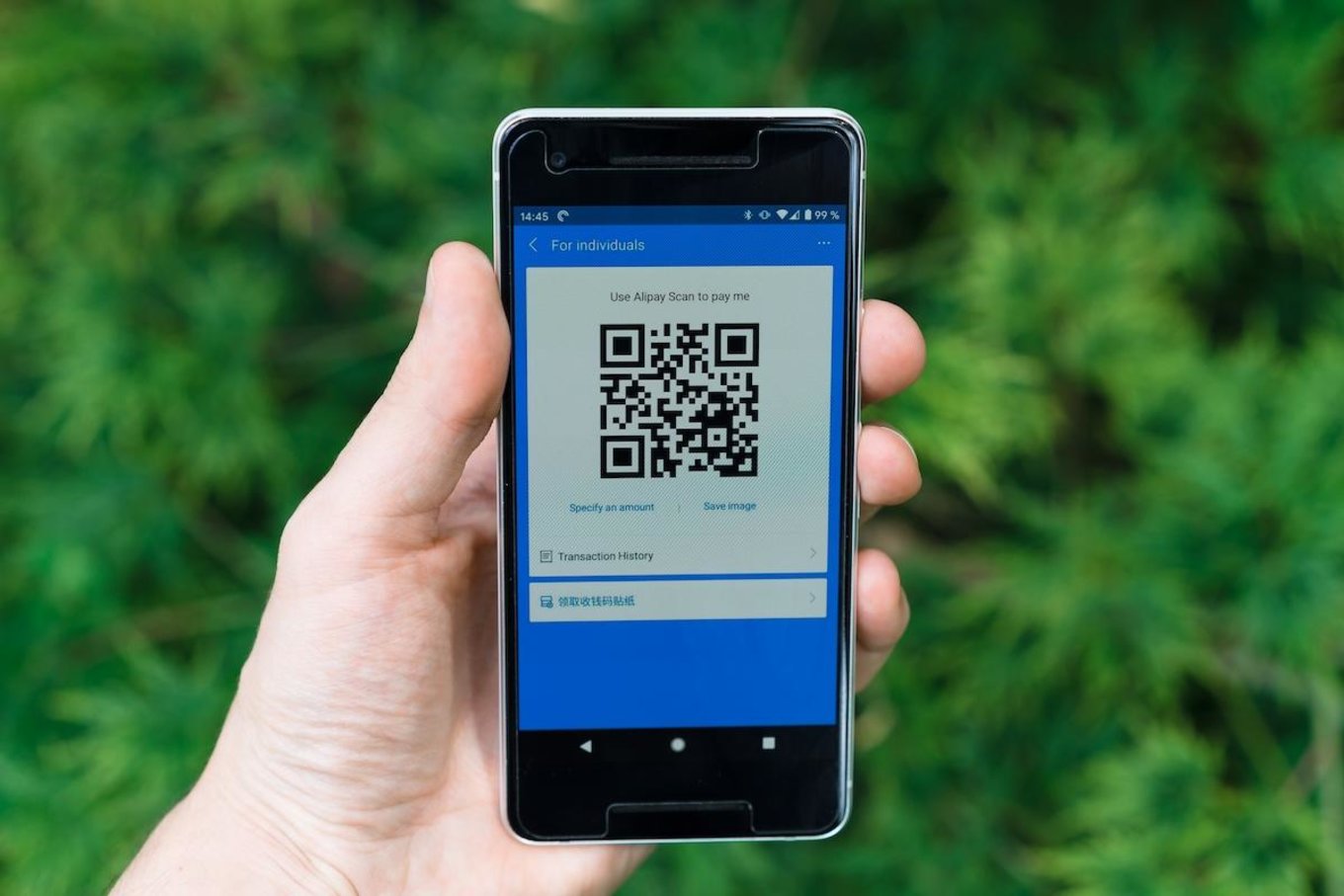
Picture this: it’s your first evening in Mainland China, you’ve found an amazing local noodle spot, but the only payment option is a small QR code taped to the table. There’s no card reader or cash register in sight. It’s usually right then that you realize that you should have figured out how to use Alipay before you got there.
The setup for Alipay China is mostly a few taps and a face scan, even with a foreign passport and a Visa or Mastercard. Verification takes the longest, so it's worth starting early.
Below, you'll find how to use Alipay in China step by step: sign-up, verification, card linking and top-up, then the on-the-ground stuff like scanning vs showing your code, fees, and where cash still helps.
Alipay sign-up: download and create your account
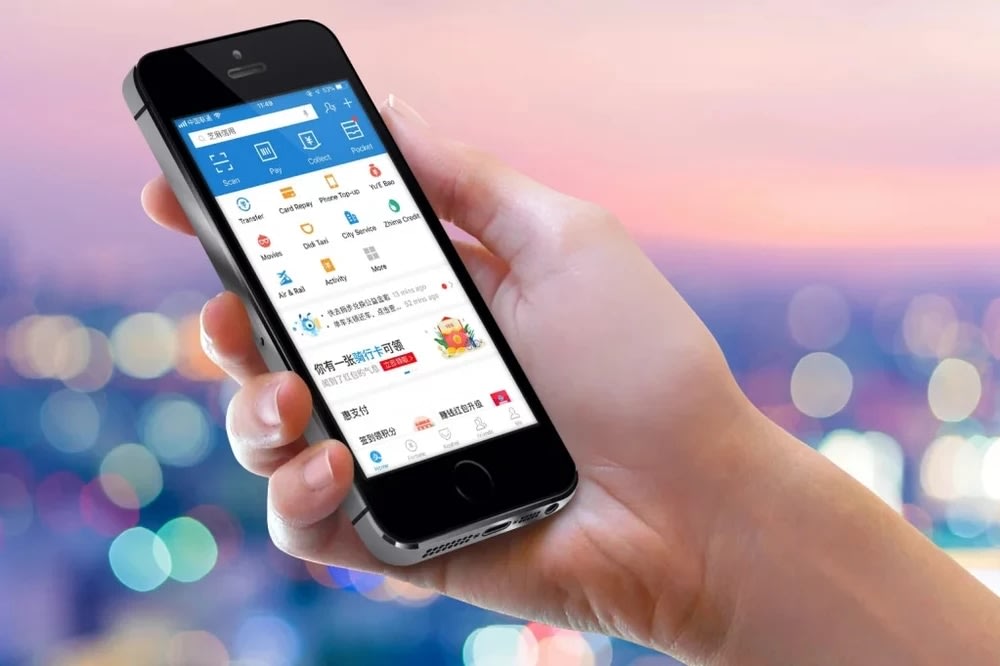
Alipay app
The best time to set up Alipay for your China trip is actually while you're still chilling at home on your own Wi-Fi. The app is in English (and more than a dozen other languages).
- Search for Alipay in the App Store or Google Play. Pick the main Alipay app, not AlipayHK.
- Sign up with your mobile number and enter the SMS code.
- Switch the language to English if it didn't pick it up automatically.
A foreign number works fine, and you don't need a Chinese bank account. Alipay for tourists is built around a passport and an overseas card instead.
Heading to Hong Kong or Macau on the same trip? A Hong Kong and Macau eSIM keeps your data on across all three, which is handy because the mainland Alipay setup works best inside mainland China.
Alipay real-name verification: passport and face scan
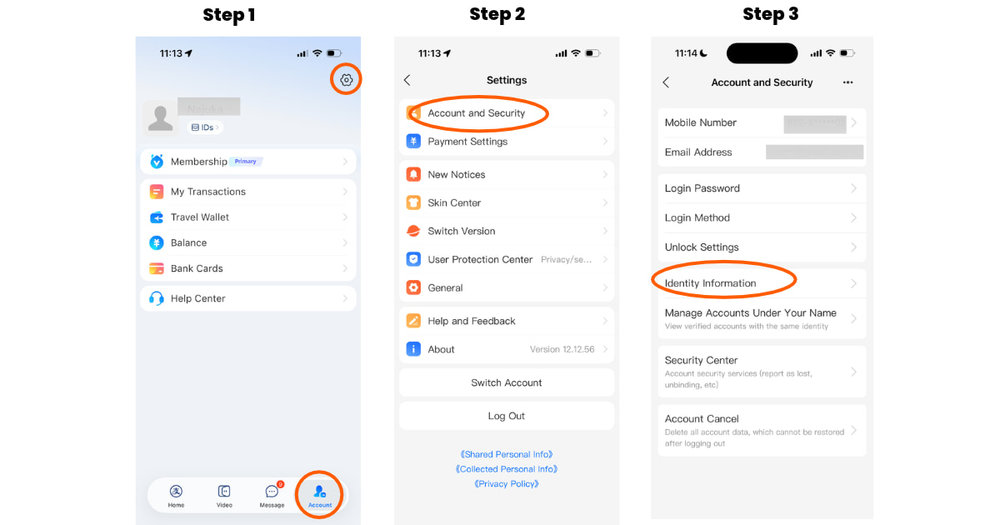
Alipay verification steps
Verification is the one step people easily skip, only to regret it at their first checkout. Without it, you may hit limits on what you can pay and which features you can use.
- In the app, open Account, then Settings, then Security, then Identity Information. Menu labels shift between versions, so look for "identity."
- Choose your country, then scan your passport photo page or type the details in.
- Add the basics when asked, like gender, occupation and address.
- Complete the face scan, then wait. It usually takes up to 24 hours.
That 24 hours is the one real downside, so start before your flight, not at the airport. If it fails, retake the passport photo in bright, even light with no glare on the page.
The face scan and any SMS code need a steady connection the moment you land. A data-only plan also lets you keep your home SIM for texts. The China eSIM with VPN-free data comes as a QR code voucher, so you can sort it before you leave.
Link credit card to Alipay: Visa and Mastercard
Linking an international card used to be a headache. Now it takes a minute, and Visa and Mastercard are the safest picks.
Open the cards section in the app, tap add card, and enter your card details. Your bank may send a confirmation code, so keep your phone close. The app lists a few other networks too, but American Express isn't widely supported, so check the list when you add one.
Klook Tip: Make one small payment on day one, like a bottle of water, to confirm your card works. Some foreign cards get declined the first time, so carry a second card as backup.
Alipay top-up and Tour Pass: which route fits?
With a linked foreign card, there's usually nothing to load for an Alipay top-up. Each purchase is charged straight to your card, which keeps things simple.
Alipay Tour Pass is the backup. It's a prepaid card issued by Bank of Shanghai, and you top it up in RMB from your own Visa, Mastercard, Diners Club or JCB card. It's a good fit if your card keeps getting declined, or if you'd rather set a spending cap.
The catch is that it works only in mainland China, through Alipay, and you can't use it to send money, buy financial products or send red packets.
Tour Pass also asks for passport and visa details when you apply. If you're entering without a visa, check that you qualify first; our China visa-free for tourists guide explains who can enter that way.
Refunds go through the Tour Pass service page. The bank sets the exchange rate and any service fee, so read the numbers before you confirm.
Alipay transaction fees and limits
Small payments are the cheap ones. Most of what you'll buy (noodles, metro rides, coffee) falls under the free threshold.
Alipay Transaction | Fees and limits |
|---|---|
Payments up to RMB 200 (about USD 28) | No Alipay service fee |
Payments over RMB 200 | 3% service fee on the payment |
Your card issuer | May add its own foreign transaction fee, often around 1% to 3% |
Alipay top-up with a linked card | Nothing to load, you pay from the card |
Tour Pass top-up | Bank of Shanghai sets the rate and any fee |
Single payment limit | Up to about USD 5,000 for overseas visitors |
Annual limit | Up to about USD 50,000 |
Fees, limits and accepted cards can change, so check the payment screen in the app before you confirm anything large. If a bill is just over RMB 200, ask the cashier to split it into two payments.
Scanning vs showing your QR code
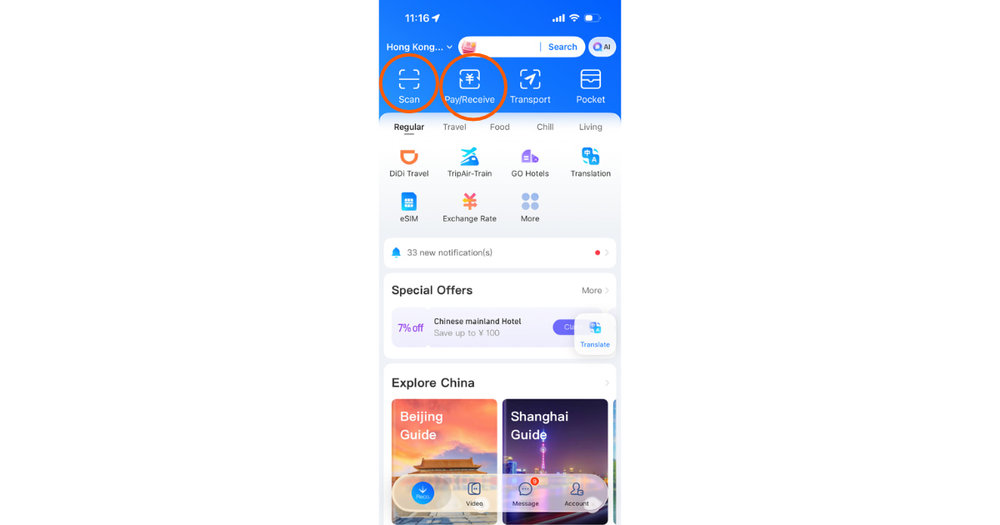
Scanning vs showing your QR code in Alipay
Day to day, Alipay has two main functions. Show your code when the shop has a scanner: open the payment code screen and hold it under the reader. Turn your screen brightness up first, since a dim screen can make a scan fail.
Scan their code when the merchant has a printed one, which is common at street food stalls and small shops in cities like Shanghai. Open the scan screen, point at the code, type the amount and confirm. Then show the cashier the "payment successful" screen before you walk off.
Alipay vs WeChat Pay: which one first?
Both take foreign Visa and Mastercard, so this isn't an either-or choice. Here's how they compare:
- Alipay: English-friendly, and it handles in-app taxi and train bookings, which suits first-timers.
- WeChat Pay: Also accepts international cards, and it's useful where a shop or attraction runs through WeChat.
Set up Alipay first, then add WeChat Pay as a backup, since some merchants take only one. Our list of useful apps for China covers what else to download before you go.
Using Alipay at the big sights
Big attractions are where phone payments and passports meet. At the Forbidden City, you book tickets ahead on the Palace Museum's official website with your passport, then bring that same passport on the day.
A walk along The Bund in Shanghai is free, which makes it an easy place to try a small first payment at a nearby stall or shop.
Out at the Great Wall of China, rural taxis and small vendors may prefer cash, so keep some yuan handy.
Where you'll still need cash
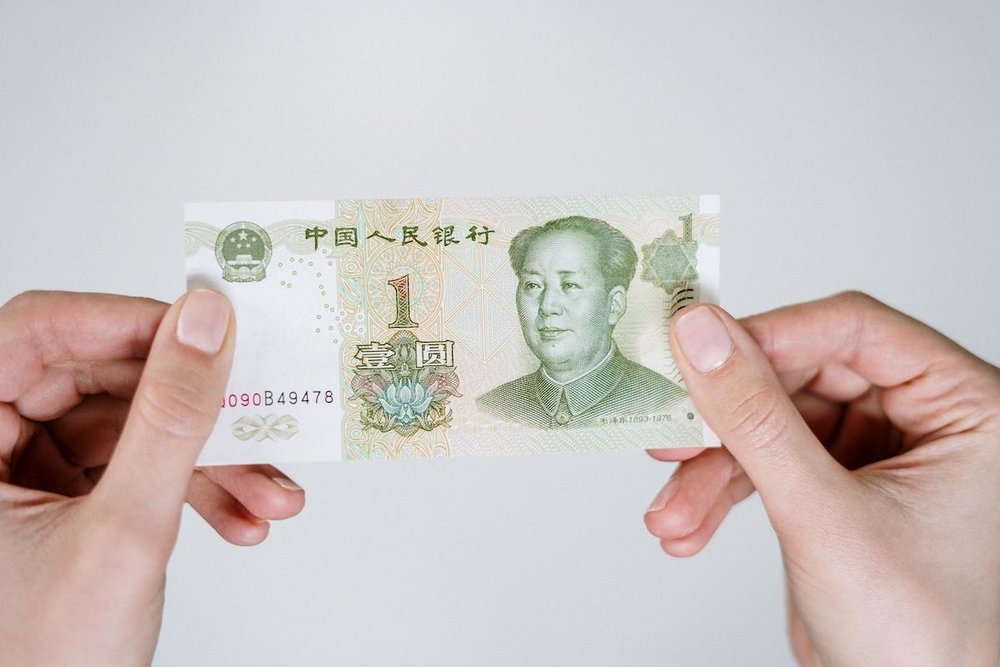
Using cash in China is rare
Some tiny street vendors, rural taxis and some temple ticket windows still prefer cash, so carry a few hundred yuan as backup. You can withdraw RMB at ATMs showing your card network's logo, or exchange money at banks and exchange kiosks.
Train stations are better for your phone than your wallet. Our guide to booking China train tickets walks through it, so you can buy before you arrive.
Before you land: sort your airport ride
You've set up payment, so use it on the first thing you'll need. The metro is usually cheaper, but a booked car is easier with luggage and no local data yet.
Klook Tip: Request your pickup when you book, so you're not hunting for a driver.
Landing in Shanghai? Airport transfers in Shanghai can be booked before you fly, and the Pudong airport transfers page covers PVG pickups.
Heading to Beijing first? You can book Beijing airport transfers in advance.
FAQs about how to use Alipay in China
How do I set up Alipay in China?
That's how to use Alipay in China in four steps: download, sign up, verify with your passport and face scan, then add a Visa or Mastercard. Do it at home on Wi-Fi so verification is done before you land. Then make one small payment on day one.
How do I verify my Alipay account?
Open the identity section in the app's settings, scan your passport, add your details and finish the face scan. It usually takes up to 24 hours to clear. If it fails, retake the passport photo in even light with no glare.
How do I add money to Alipay?
Usually you don't, because a linked foreign card pays each purchase directly. If you'd rather load a balance, Tour Pass lets you top up a prepaid card in RMB from your own Visa, Mastercard, Diners Club or JCB card. Check the bank's rate and fee before you confirm.
Can I link a foreign credit card to Alipay?
Yes, Visa and Mastercard both work. Add the card in the cards section of the app, and keep a second card in your wallet in case one gets declined. American Express isn't widely supported, so check the list in the app.
What is Alipay Tour Pass and how does it work?
It's a prepaid card issued by Bank of Shanghai, set up through a mini program run by Alipay. You top it up from your overseas card and spend through Alipay in mainland China only, not in Hong Kong, Macao or Taiwan. It asks for passport and visa details, and refunds go through the service page.
Does Alipay work without a Chinese phone number or bank account?
Yes, a foreign phone number and an overseas card are enough. What matters more is having mobile data when you land. That's the one thing that can stall your first checkout.
Are there fees for using Alipay in China?
Payments up to RMB 200 (about USD 28) carry no Alipay service fee, and above that a 3% fee applies. Your card issuer may add its own foreign transaction fee on top. Check the payment screen in the app, since fees can change.
Do I need a VPN or an eSIM to use Alipay in China?
You don't need a VPN for Alipay itself, but you do need mobile data. An eSIM gets you online on arrival, and a VPN-free plan keeps your other apps loading too. If your hotel Wi-Fi is solid, you can lean on it for the first sign-in.
Your first scan is waiting
Tonight, download Alipay and start the passport scan, since verification is the slow step. By the time you're in the taxi queue in Beijing or Shanghai, you'll be paying for the ride with one tap and one scan.
Beijing-bound? Book your Capital Airport transfers with Klook, add your eSIM, and landing day feels easy.
More China travel guides for you



What is Klook?
Klook is a leading pan-regional experiences platform in Asia Pacific, purpose built to digitalize experiences and make them accessible to every traveler.
Our mission is to build the digital infrastructure for the global experience economy — empowering merchants to share their passions and travelers to discover the heartbeat of each destination. We operate a mobile-first, curated platform featuring diverse experiences across global destinations.